Works offline · No ads

Plan your life.
Run your business.

Your tasks, money and habits.
Your clients, invoices and hours.

Free account · No card to start

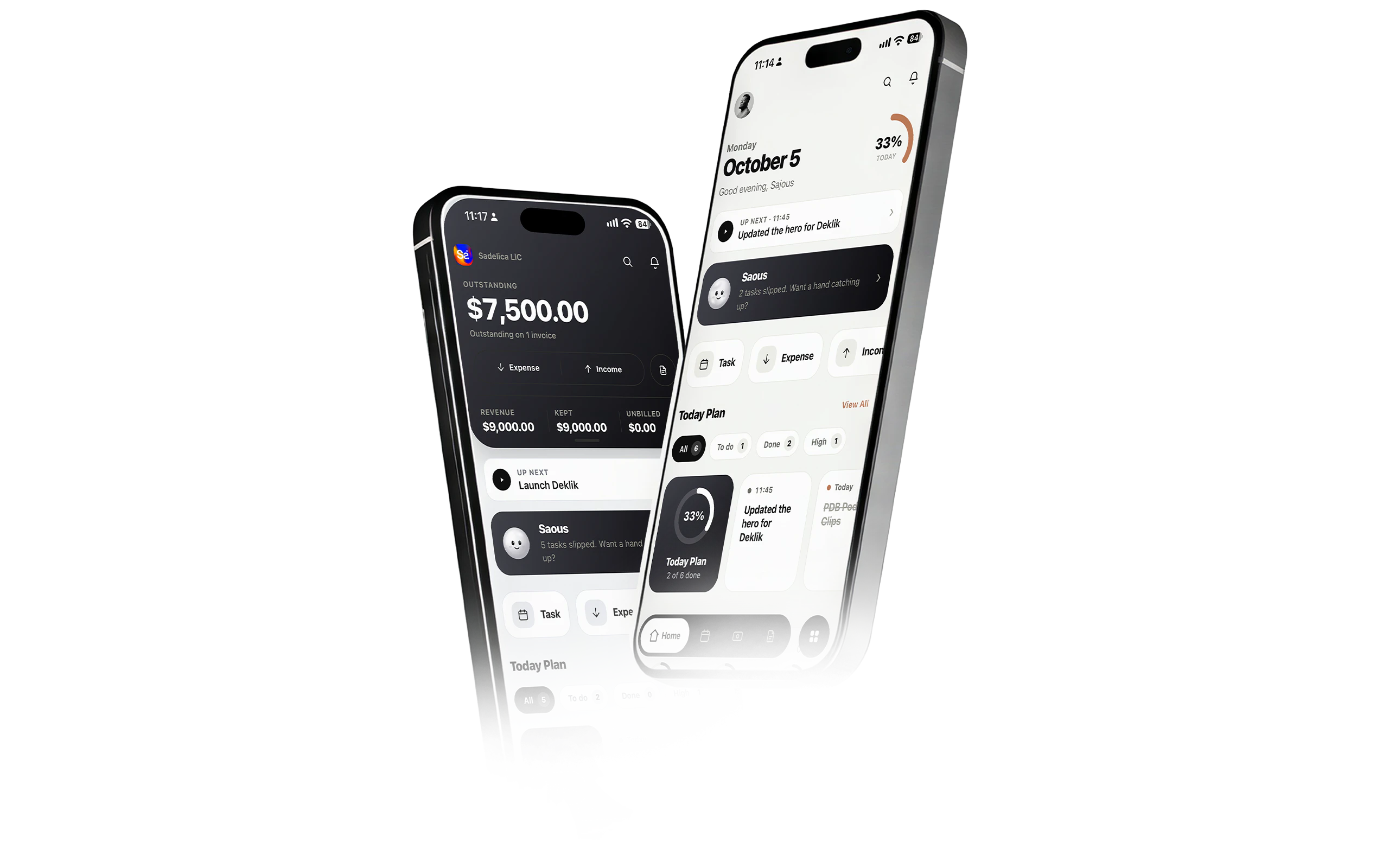
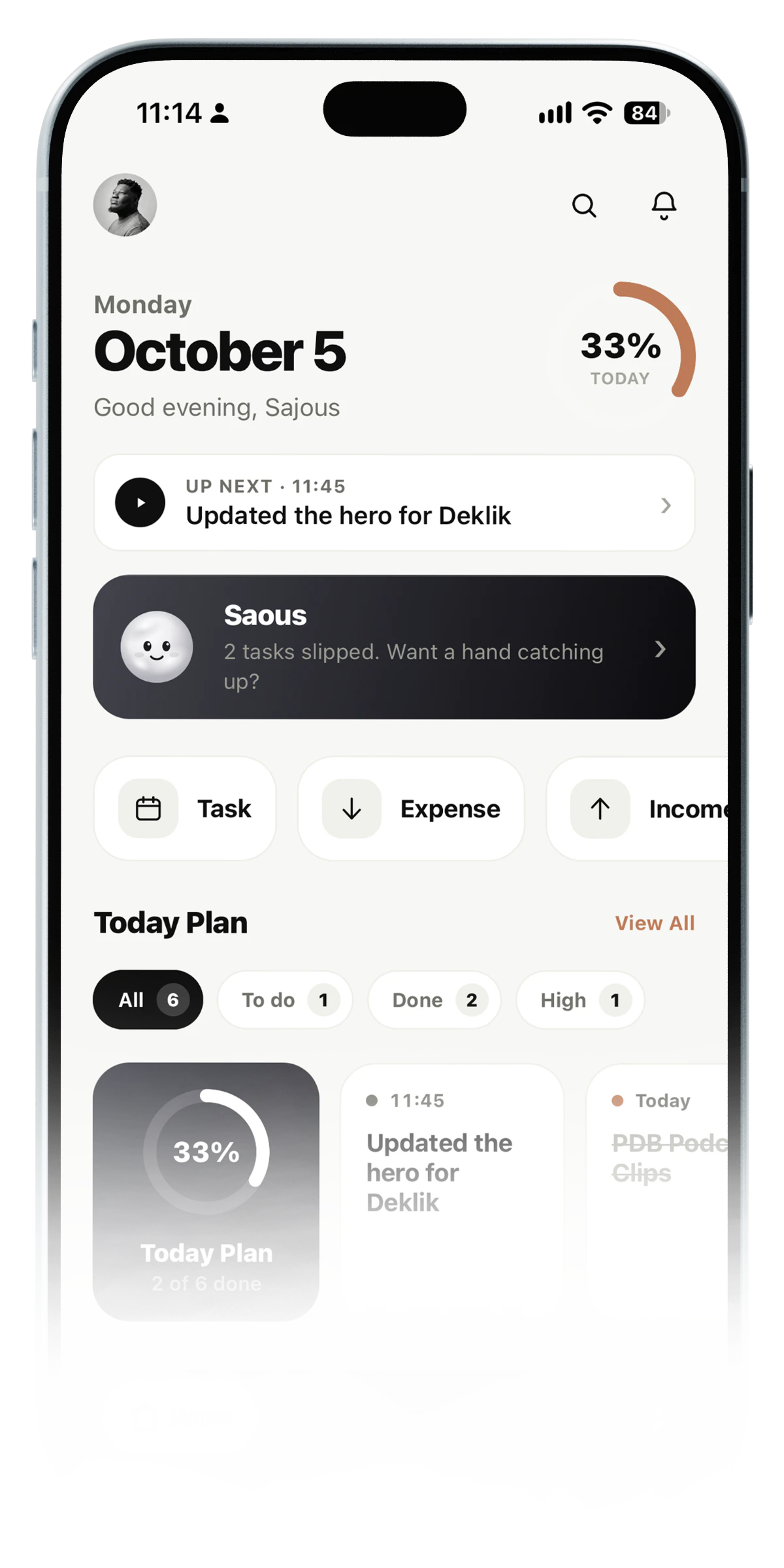
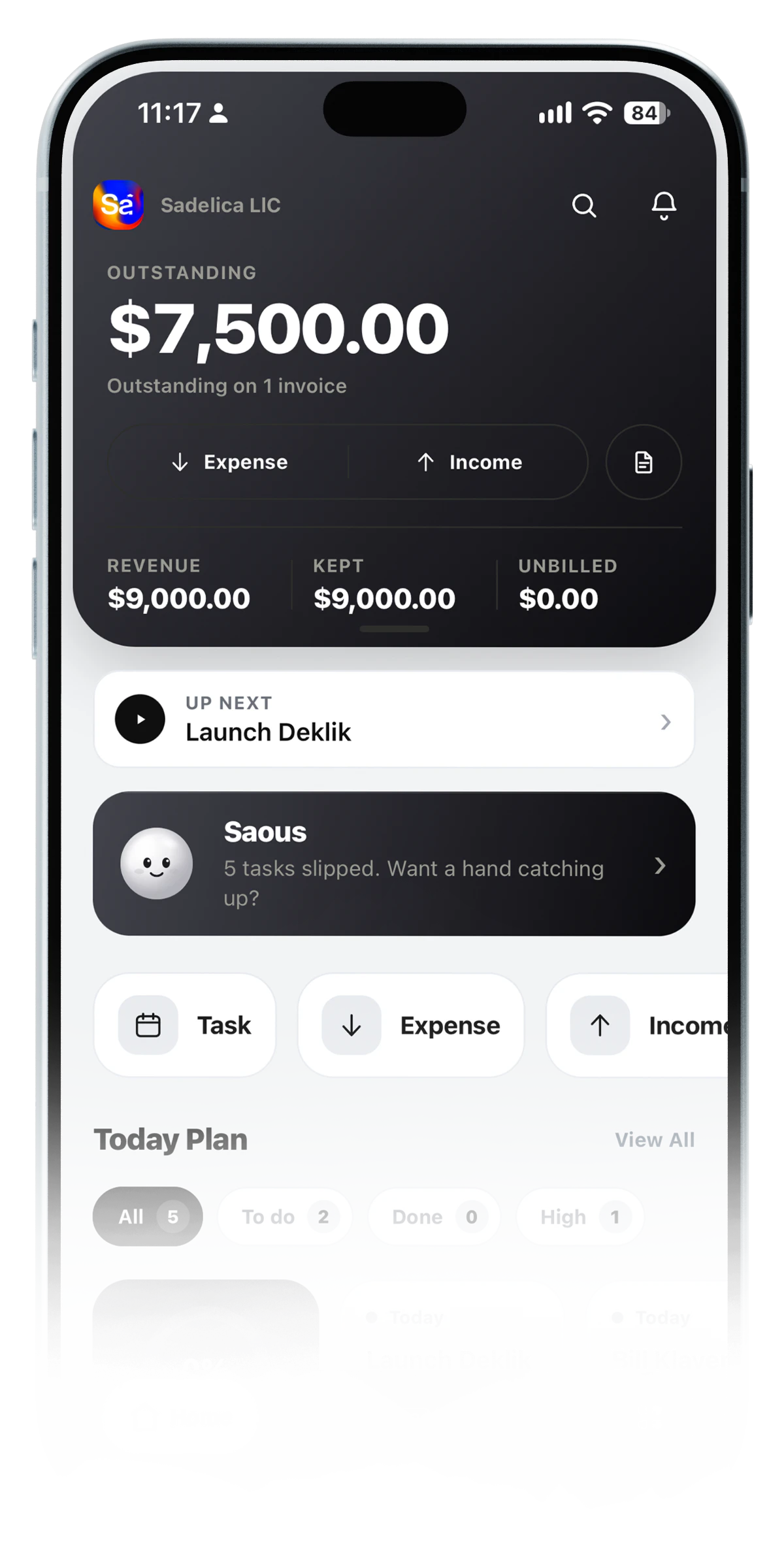
Deklik on two iPhones: the day on one, the business on the other.
TasksHabitsMoneyInvoicesFocusDreamsSòlReceiptsClientsBudgetsSavingsSaousCycle

01 · Two ledgers

Your life. Your work.
One click apart.

Life Work

Your tasks, your money and your habits, planned and counted. Flip the switch for the business side.

  • Plan the day, not just the list
  • Every expense, accounted for
  • Small wins, counted honestly
  • Save toward something real
The Deklik home screen: today's plan, habits and quick actions.

02 · Everything

Everything you run,
in one place.

The things you juggle across apps, notes and a notebook, in one place that works with no signal.

Plan

Plan the day,
not just the list.

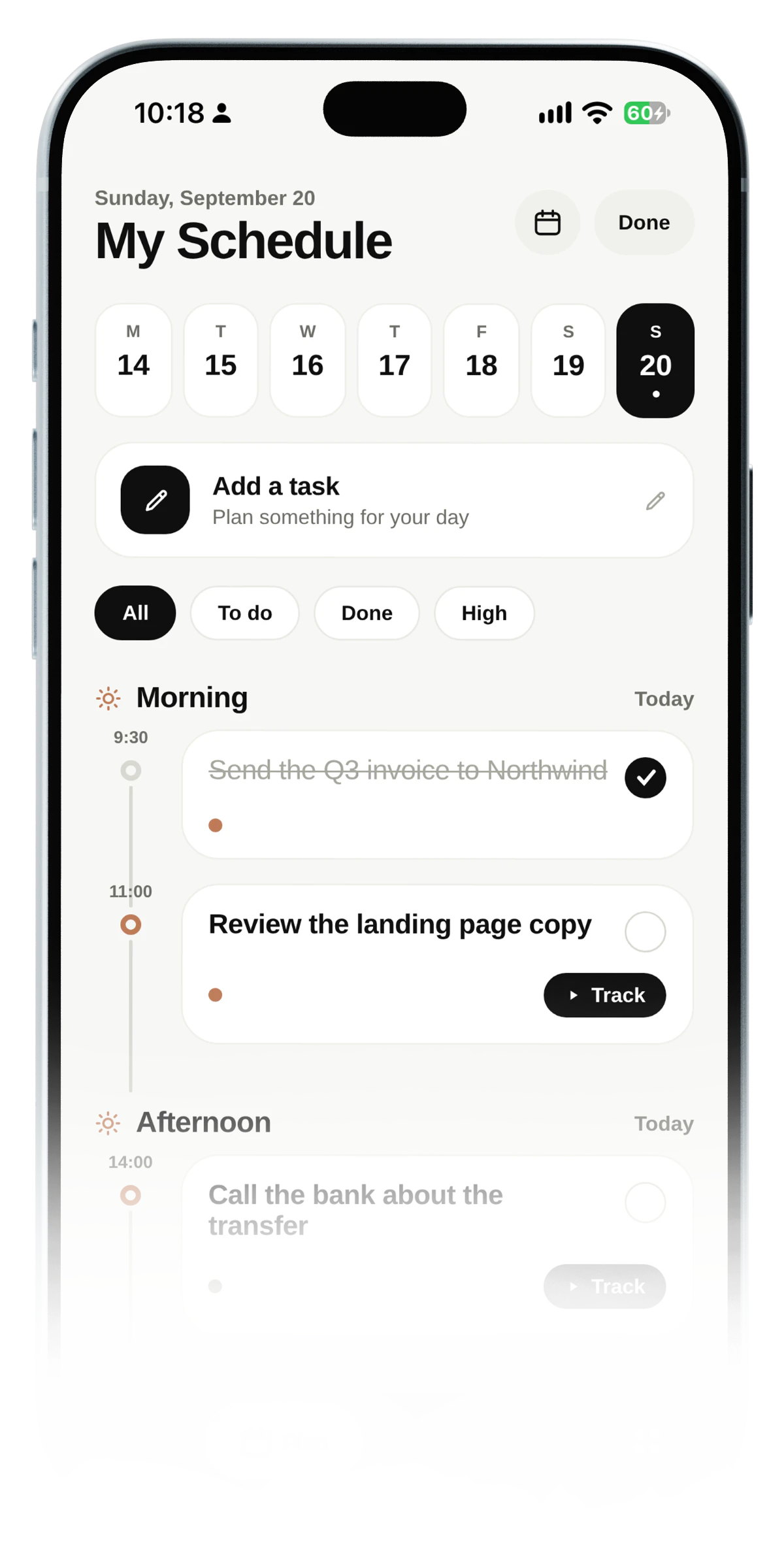
  1. Send the Q3 invoice
  2. Call the bank about the transferUp next
  3. Gym, then groceries

Times, priorities and repeats that hold their date, with an inbox for the thought you catch at a red light.
12Day streak

Small wins, counted.

Hours you really worked.

Money

Every expense,
accounted for.

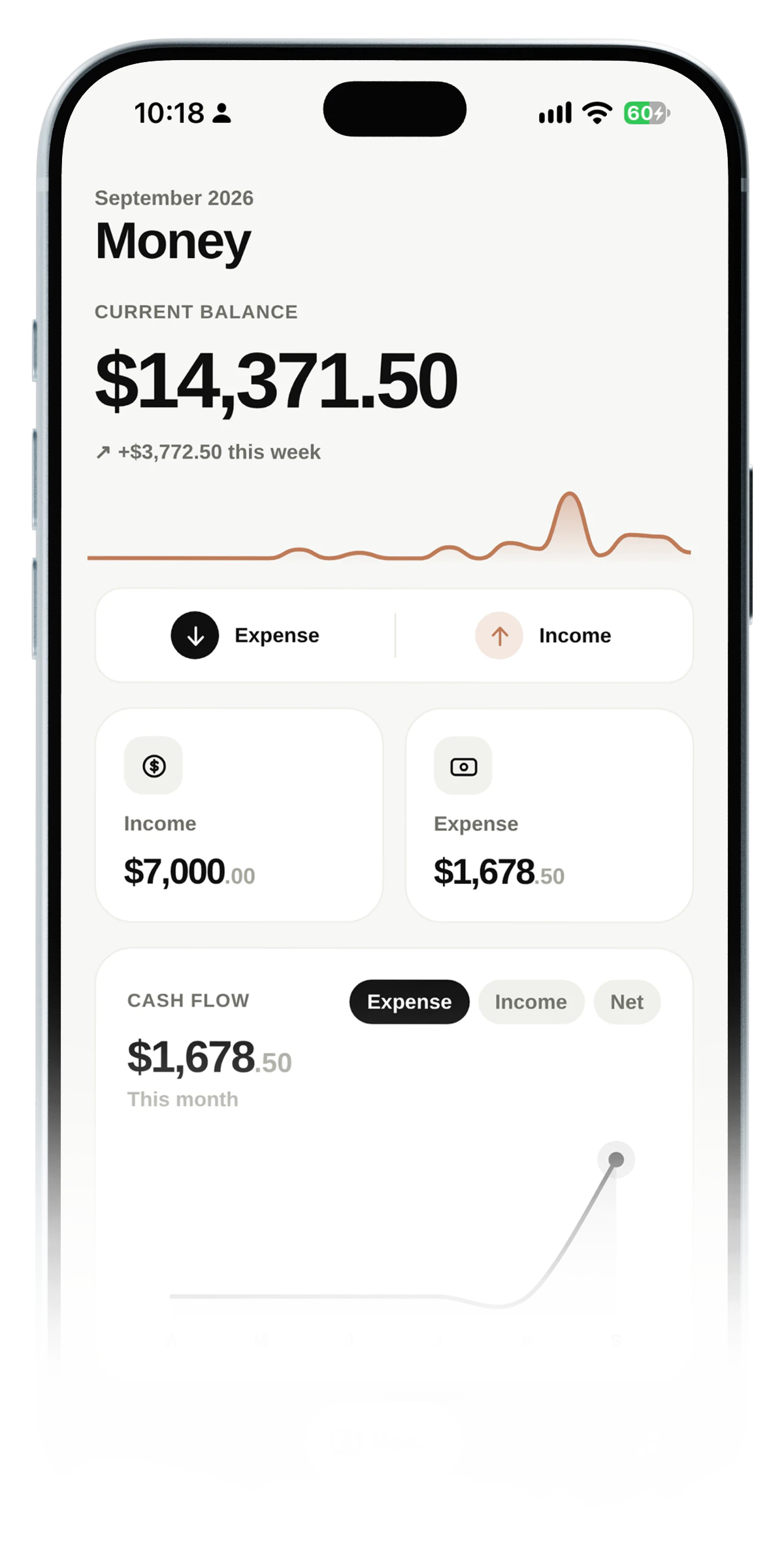
$14,371.50↑ $3,772.50 this week

Wallets

Bills that post themselves.

Rent, phone and subscriptions, with a reminder before each is due.

The Money screen: the balance, the week's cash flow, income and expenses.

Scan a receipt.

Business

Invoices that
close the loop.

Your logo, tax and discount on a clean PDF. Mark it paid and the income records itself.

New laptop$1,240 of $2,000
62%

Save toward something real.

Saous, your AI coach.

Your sòl, without the notebook.

Cycle

Your cycle, in your plan.

See where you are and when your next period is due. Deklik lightens the days you need it, and shares with your partner only if you choose. What you note stays on your phone.

Day by dayNext periodLighter daysPrivate by default

03 · Business

Get paid on time,
without chasing.

Pay links, reminders and cards on file bring the money in, straight to your own Stripe. The tax pot fills as it lands.

Get paid from a link, by card

Your client taps Pay on the link you sent, and the invoice marks itself paid.

Never write a reminder again

They go out before the due date, on the day and after, and stop the moment it is paid.

Retainers that bill themselves

Each month the invoice is made and charged to the card on file, with nothing to send.

Quotes signed and paid up front

Your client signs with a finger and pays the deposit before any work starts.

Bookings that come with a deposit

Clients pick a time on your booking page and pay to hold it, so fewer no-shows.

Taxes set aside as you earn

Each payment tops up the tax pot, while cash flow, hours to bill and profit add themselves up.

04 · Team

Bring in help,
keep your life yours.

Shared tasks, a team chat by channel and only the parts of the business you open. Your personal side never leaves your phone.

Share the business, not your life

Open the agenda, invoices or money one switch at a time, and keep your personal side out.

See who has what, without asking

Every task has a name and a status, from To do to In review, so the team stays in step.

Talk shop in one place

A channel for each topic, and @Oak & Co links the client so anyone opens it in one tap.

Pro includes 1 team member. Each extra seat is $4.99/month.

See Pro

05 · Yours

Everything lives on your phone. It works with no signal. No ads, no tracking. Your data stays yours, and so does your time.

  • Offline firstEvery screen works with the radio off.
  • Private by defaultStays on your phone. Optional PIN or Face ID.
  • Yours to exportTransactions to a spreadsheet, months to PDF.
  • Three languagesEnglish, French and Spanish.

06 · How it works

Up and running
in a minute.

01

Open it.

Sign in with Apple, Google or an email. Free, no card, no setup: you land straight in your day.

02

Plan the day.

Times, priorities and repeats that hold their date, even from the 31st.

My Schedule: the week, a task to add, and the morning's plan.
03

Bill a client.

Send an invoice with a pay link, and get paid by card.

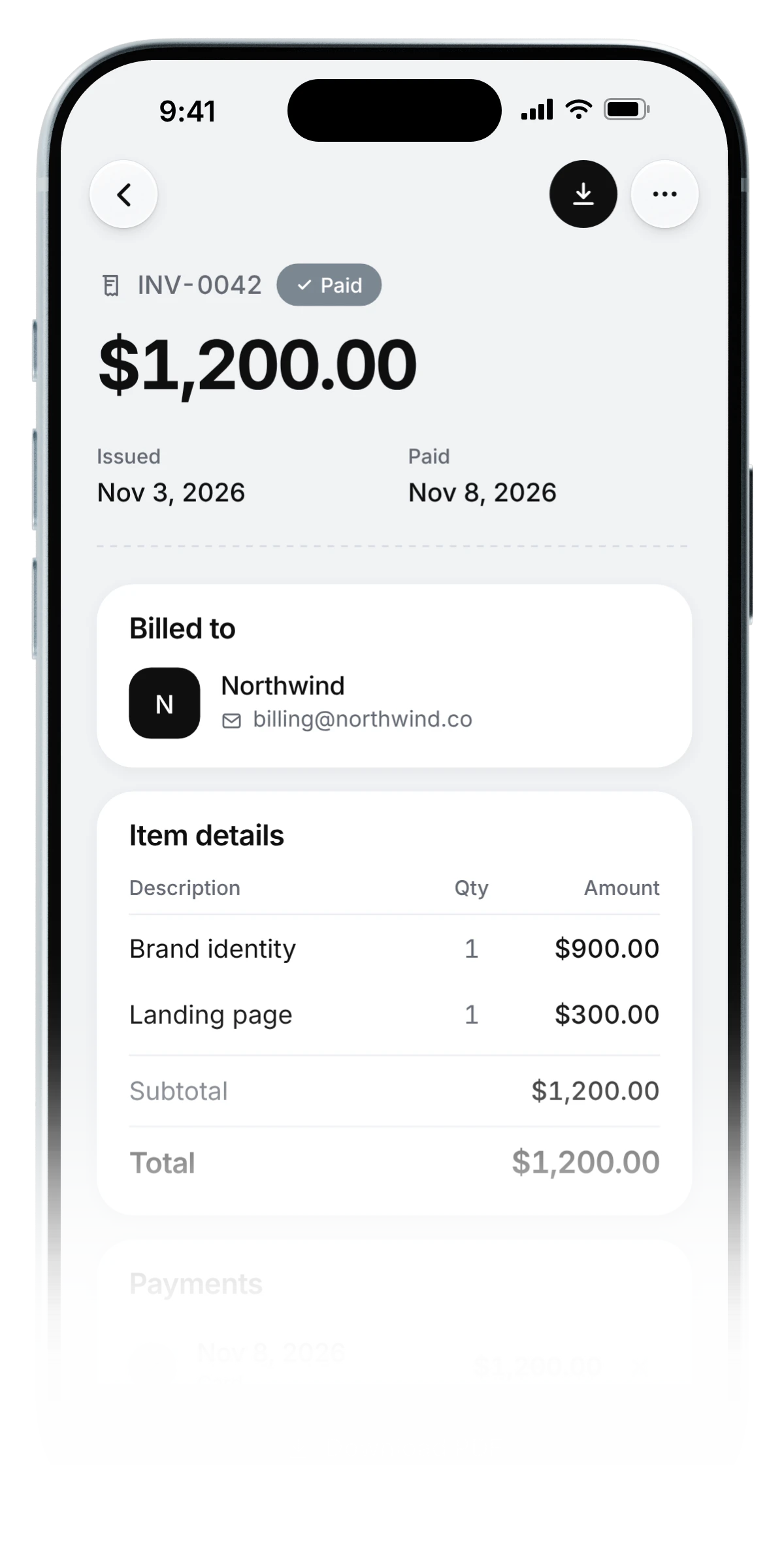
An invoice to Northwind for $1,200.00, marked paid.
04

Share the work.

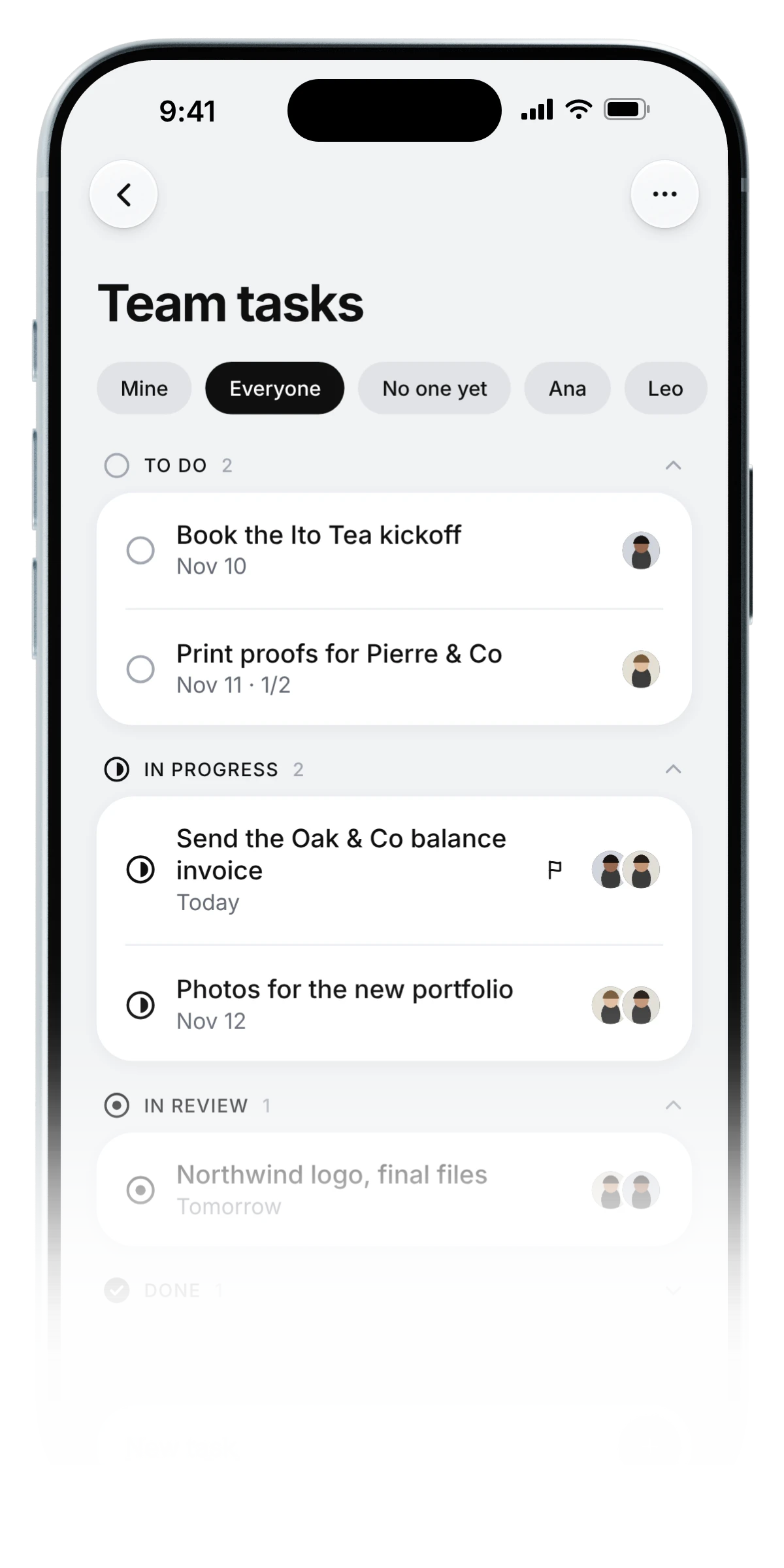
Hand tasks to your team and see each one move from To do to Done.

Team tasks by status, each with the face of who has it.
05

Close the month.

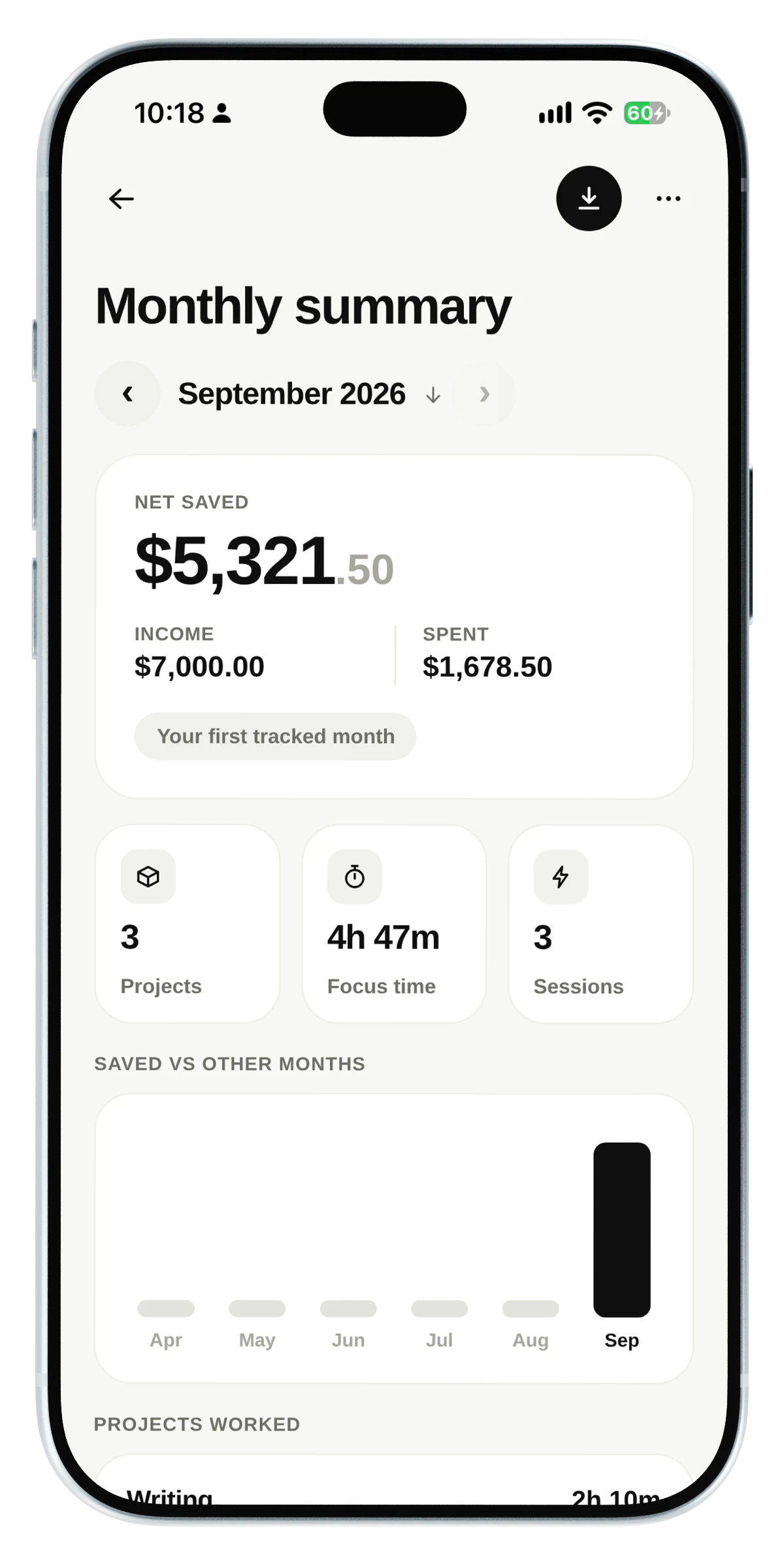
What came in, what went out and what you kept, ready as a PDF or a spreadsheet.

The monthly summary: net saved, income, spending and focus time.

07 · Pricing

Free to start.
Fair as you grow.

The everyday app is free, and so is sending your first invoices. Plus and Pro add the rest, by the month or by the year.

Monthly Yearly Save 33%
Free
$0

Your day, your money and a side hustle. Free, no card.

Start free
  • Tasks, schedule, habits and capture
  • Reminders and notifications
  • The Focus timer, and 3 documents
  • Budgets, dreams and savings
  • Sòl: who has paid, whose turn it is
  • 2 invoices a month, sent on WhatsApp
  • Get paid online, for a 1% fee
Plus
$4.99/month

Your life on every device, and shared.

Get Plus
  • Everything in Free
  • Sync, backups and the web app
  • Every wallet
  • Documents without a limit
  • Shared budgets, dreams and projects
  • Every app icon colour
  • Saous, an AI coach for your whole day: 30 messages a month
  • Receipts read by AI: 50 a month
Pro For your business
$9.99/month

The whole business side, with no limit.

Get Pro
  • Everything in Plus
  • As many invoices as you send
  • Pipeline, profit & loss and billed hours
  • 1 team member, $4.99/month per extra seat
  • A booking page for your clients
  • Get paid online for 0.5%
  • Your name alone on your invoices
  • Saous, with 100 messages a month
  • Receipts read by AI: 200 a month

Founder. Pro for life, $149 once. For the first 500 only.

Become a founder
  • Free account
  • No card to start
  • Export any time

08 · FAQ

Questions,
answered.

What people ask before trusting an app with their plan, their money and their habits. Something else? Write to support@deklik.app.

Do I need an account to use it?

Yes, a free one. You sign in once, with Apple, Google or an email, and the free plan is yours for good. What you write still stays on your phone: it goes to our servers only if you turn on sync, which comes with Plus, so your data survives a lost phone and follows you to the next one.

Does it really work offline?

Yes, all of it. Your data is stored on the phone, so every screen, every entry and every report works with no signal. Nothing waits on a server to render.

What stays free?

The whole everyday app: tasks, habits, the Focus timer, budgets, dreams, savings and your sòl, three documents, and two invoices a month on the business side. It works offline on your phone, with a free account and no card, for as long as you like.

Can I cancel Plus or Pro?

Any time, in your App Store or Google Play subscriptions. The plan runs to the end of what you paid for, then the app goes back to Free. Nothing you made is deleted.

What is the Founder plan?

Pro for life, for one payment of $149, sold to the first 500 people only. It restores on your next phone with the same store account.

What does Deklik take when a client pays online?

1% of the payment on Free and Plus, 0.5% on Pro, on top of Stripe’s own fee. The money goes straight to your Stripe account; Deklik never holds it.

Who is Saous?

Saous is the AI coach inside Deklik. It reads a summary of your own records, your plan, habits, focus, money, dreams, projects and business, and tells you in a few lines how your day or week is going and what to do next. The steps it suggests go onto your plan with one tap. It comes with Plus, 30 messages a month, and Pro, 100. It stays off until you turn it on.

What do you do with my data?

Nothing. There are no ads and no third-party tracking or analytics software in the app at all. We do not sell your information and we do not use what you write to train anything. If you sign in, your records are copied to your account so your devices can read them, and to nowhere else. The AI is the one exception, and only when you turn it on: Saous, the coach, sends a summary of your records and your question, and receipt reading sends the text your phone read off a receipt (never the photo), to Anthropic, which answers and may not train its models on any of it. We keep none of it.

Can I get my data back out?

At any time: transactions to a spreadsheet, and any month, report or invoice to PDF. You can also ask for a copy of everything held on your account, and delete the account yourself from Settings.

I freelance. Can I invoice from it?

Yes. The business space is a second ledger with its own money, clients, invoices and profit-and-loss. Follow your leads and proposals in the pipeline, time your work at your own hourly rate, and bill the hours straight onto an invoice. Nothing crosses between it and your personal side.

Can I track savings and investments?

Yes. Money you keep apart, like a stake in a business or an emergency fund, gets its own place with every amount you put in or take out. If the money came from one of your wallets, that wallet goes down by the same amount, so your balance stays true.

Your life and your work,
finally in one place.

Free to start, with a free account. Your data stays yours.

On the App Store and Google Play.